
How to Use Biodata Maker Free: Create a Marriage Biodata in Minutes
Learn how to use Biodata Maker Free to create a marriage biodata. Choose from 67 templates and 11 languages, then download, print, or share it.
By Biodata Maker Free Editorial Team
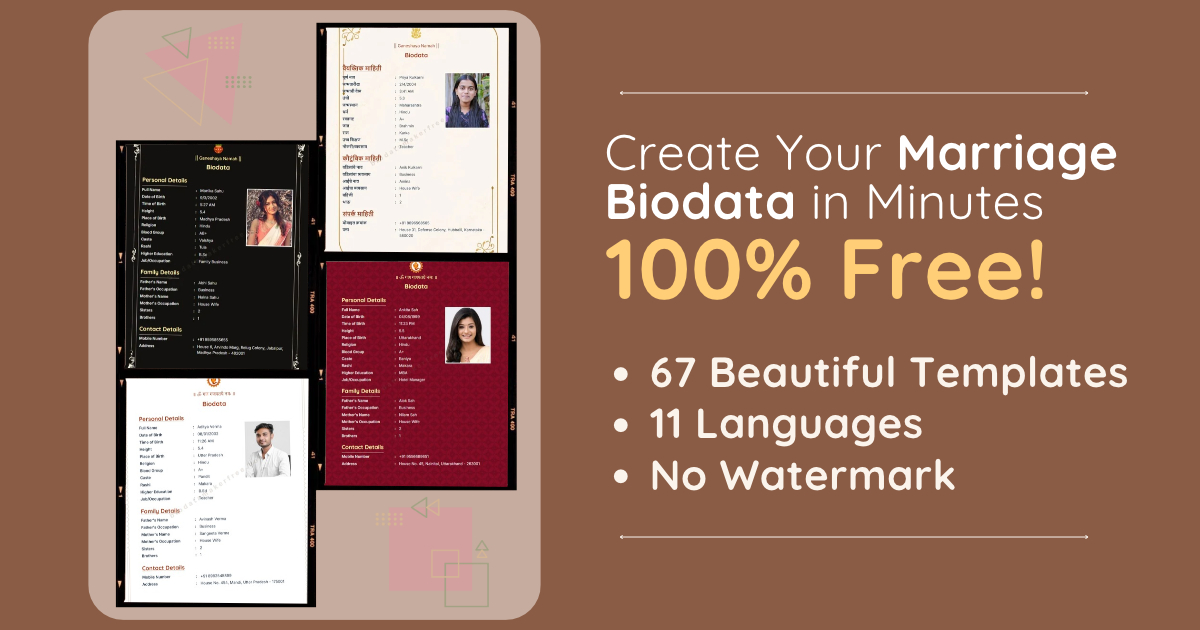
Creating a marriage biodata doesn’t have to mean wrestling with document layouts or design software. Biodata Maker Free helps you enter your details, choose a design, preview your biodata, and download or print a finished copy.
You can make a biodata in 11 languages and choose from 67 templates. Creating, previewing, and downloading your biodata is free, and downloaded files have no watermark. This guide walks you through the process and explains the available options.
What Is Biodata Maker Free?
Biodata Maker Free is an online marriage biodata maker. It organizes the information you enter—such as personal, family, education, and contact details—into a template you select.
You can make a biodata in a language that works for you and your family, adjust which details appear, and choose how to get your finished copy: download it as a PDF or JPG, print it, or share the PDF directly when your device supports file sharing.
Why Use Biodata Maker Free?
Starting with a blank page can make it hard to decide what to include or how to arrange it. A biodata maker gives you a ready-made structure, so you can spend more time choosing the information and design that suit you.
With Biodata Maker Free, you can:
- Choose from 67 marriage biodata templates
- Create a biodata in 11 supported languages
- Add a photo if you want one
- Include, hide, or customize details to suit your needs
- Preview designs before choosing one
- Download a PDF or JPG
- Print your biodata from the browser
- Share the PDF directly on supported devices
- Create and download without paying a fee or adding a watermark
How Many Languages Does Biodata Maker Free Support?
The biodata maker supports 11 languages:
English, Hindi, Bengali, Marathi, Telugu, Tamil, Gujarati, Kannada, Malayalam, Odia, and Punjabi.
Choose the language you want to use and fill in your biodata. You can pick the language that feels most comfortable for you and the people who will read it.
How Many Biodata Templates Are Available?
There are 67 templates across seven categories:
| Template category | Number of templates |
|---|---|
| Blue | 7 |
| Chocolate | 5 |
| Cream | 12 |
| Green | 6 |
| Pink | 5 |
| Red | 10 |
| White | 22 |
| Total | 67 |
You can browse the designs and preview your biodata before settling on a template. Choose one that is readable and feels right for the information you want to share.
How to Make a Biodata with Biodata Maker Free
1. Open the biodata maker
Visit Biodata Maker Free and start creating a marriage biodata. You can begin without designing a document yourself.
2. Choose your language
Select one of the 11 supported languages. This sets the language for the biodata fields and labels.
3. Enter your details
Fill in the information you want to include. Depending on the form, this can include personal, family, education, work, and contact details. Keep your answers clear and accurate.
You don’t have to include every possible field. If a detail doesn’t feel relevant or you’d rather keep it private, you can leave it out or hide it.
4. Add or customize information
You can add more details and customize field labels where needed. This is useful if you want your biodata to reflect your circumstances rather than follow a one-size-fits-all list.
Before adding personal information, consider who will see the biodata and whether the detail is necessary. Avoid including sensitive information such as passwords, account numbers, or government identification numbers.
5. Add a photo if you wish
Adding a photo is optional. If you decide to include one, choose a clear image and check how it appears in the preview.
6. Preview and choose a template
Browse the template categories and select a design to preview. Check that the text is readable and that the details you chose fit comfortably on the page. You can adjust your information or try another design before downloading.
7. Download, share, or print
When you’re happy with the result, choose the option that suits you:
- Download PDF: Save a print-ready PDF that is easy to send or store.
- Download JPG: Save an image version of your biodata.
- Share PDF: On devices and browsers that support file sharing, share the PDF from the tool. If direct sharing isn’t available, download the PDF and attach it to a message.
- Print: Open the browser’s print dialog and select a printer. You may also be able to choose “Save as PDF” there.
Open the downloaded file or print preview before sharing. Check the spelling, dates, contact details, and layout.
Is Biodata Maker Free Absolutely Free to Use?
You can create and preview a marriage biodata and download it as a PDF without a fee. The downloaded biodata has no watermark. You can also use the JPG download, print, and sharing options without paying for a design program.
Tips for a Clear Marriage Biodata
- Use accurate, up-to-date information.
- Keep descriptions short and easy to understand.
- Choose a template with readable text and enough space.
- Review the biodata on your phone or computer before sharing.
- Include only details you’re comfortable sharing.
- Ask someone you trust to proofread it if you’d like a second opinion.
Frequently Asked Questions
Can I make a marriage biodata for free?
Yes. Biodata Maker Free lets you create and preview a marriage biodata and download a PDF without a fee. The downloaded file has no watermark.
Can I download my biodata as a JPG?
Yes. Choose the JPG download option to save an image copy of your biodata.
Can I share my biodata directly?
You can share the PDF directly if your device and browser support file sharing. Otherwise, download the PDF and attach it to your preferred messaging or email app.
Can I print my biodata?
Yes. Use the print option to open your browser’s print dialog. Choose a printer, or select “Save as PDF” if that option is available.
Do I have to add a photo?
No. Adding a photo is optional. You can create a biodata without one.
Can I choose which details appear?
Yes. You can choose which fields to include and customize details where needed. Review the preview to make sure it shows what you want to share.
## Create Your Marriage BiodataWith 67 templates, 11 supported languages, and options to download, share, or print, Biodata Maker Free helps you prepare a marriage biodata without starting from a blank page. Add the details you’re comfortable sharing, choose a design, and review the finished biodata before sending it.
Create your biodata with Biodata Maker Free.